3
Clip-Coo
Library Informatics
Clip-Coo
Bridging the gap between digital discovery and physical navigation at Littman Library
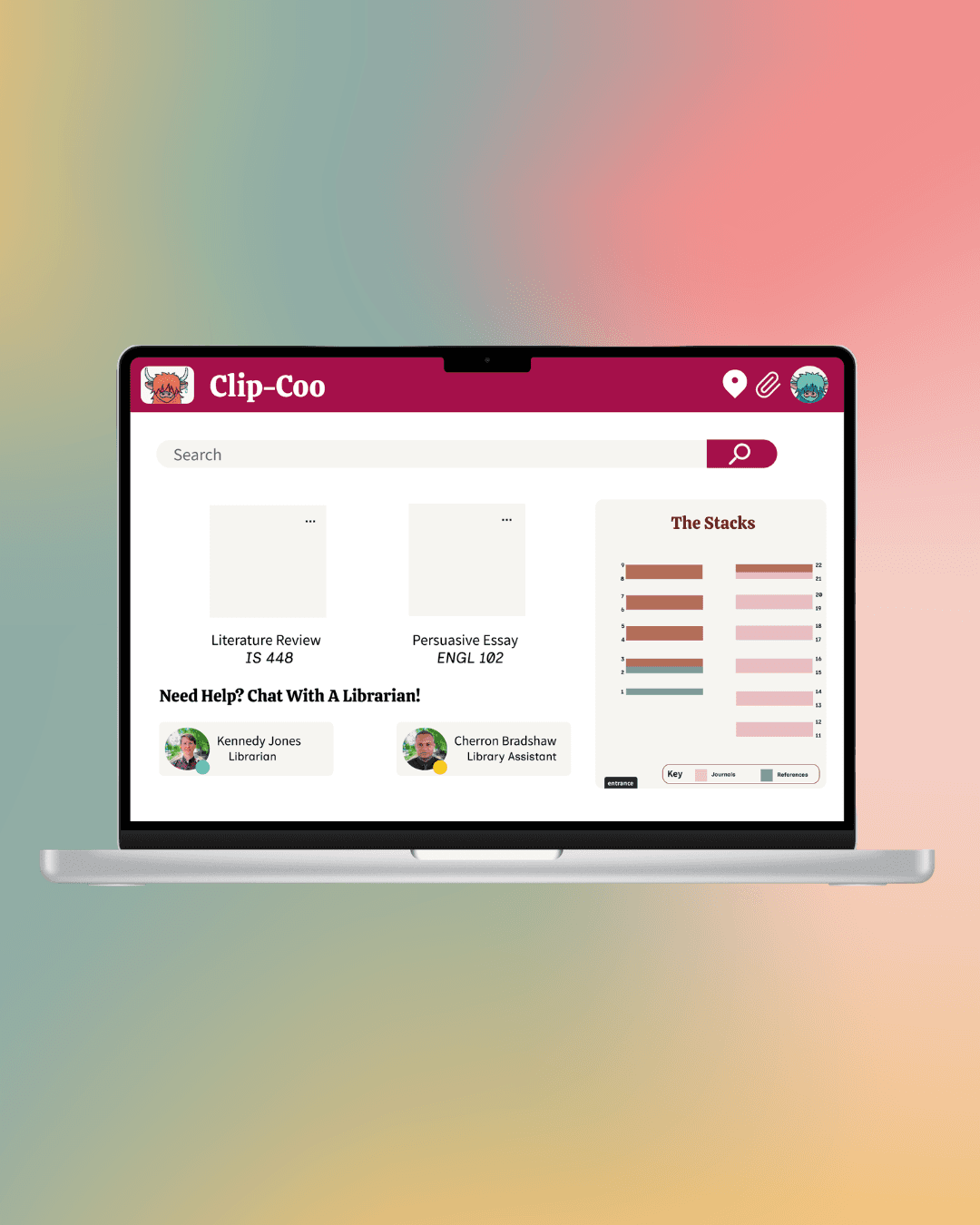
Clip-Coo is a prototype of a digital extension for NJIT's Littman Library that bridges the gap between online searching and physical in-stacks retrieval.
Problem Statement
Students often seek librarian assistance for resources at the last minute, but current systems do not accommodate this urgency. A lack of proactive discovery tools leads to wasted time, high student stress, and missed assignment deadlines.
Industry
Library Informatics
My Role
Product Designer + UX Researcher
Platforms
Desktop
Timeline
April 2026- May 2026
High-Level Vision
Navigating academic libraries often breaks down during the handoff from online catalog lookups to physical book stacks, causing high student stress and wasted research time. Clip-Coo bridges this gap through a digital extension that embeds interactive shelf-level wayfinding, visual project clipping, and live librarian availability directly into the search experience
Process
[01] User Research
Analyzed 2025 NJIT Student Experience survey responses, revealing that 48.9% of Hillier College of Architecture and Design (HCAD) students prefer Littman Library despite widespread navigation and resource discovery hurdles
Conducted stakeholder interviews with the head librarian and HCAD students to discover friction around last-minute resource gathering and system breakdowns
Ran on-site contextual inquiry sessions timing participants across 4 standardized search-and-retrieval tasks spanning category, title, and call number (CRN) lookups
[02] Insights
Physical signage in the stacks and distinction between books and periodicals caused confusion and prolonged search times (over 6 minutes) in the stacks
Users struggled to interpret raw call numbers (CRNs) without spatial context, often guessing shelf locations or checking incorrect sections
Students often sought librarians for help as a final resort and hesitated to approach staff due to uncertainty around availability
[03] Design Strategy
Embedded a dynamic stack map into the catalog modal showing the exact shelf and aisle location for physical items on hover or click
Created a workspace to "clip" both physical and digital sources into curated project boards to streamline multi-source planning
Integrated a live status indicator and direct-request module to bridge the gap between online inquiry and staff support
[04] Testing & Iteration
Conducted usability testing with 2 participants using the Figma interactive prototype through 5 structured tasks involving searching, clipping to project bins, and navigating to stacks
Identified from usability testing findings that the initial stack map layout required higher contrast and clearer orientation cues to match real-world stack perspectives
Added a dedicated call-number (CRN) anatomy breakdown directly onto the project and resource pages to demystify catalog codes for first-time researchers